Get a second opinion on a repair quote before you say yes — from an AI that has your service log in hand. Plus gas logged from a receipt in 3 seconds, your real MPG and the check-engine light decoded.
Get Brimly on the App Store
Brimly is out now. Download it on your iPhone from the App Store — free, no email, no sign-up.
Point your iPhone camera here to install
Requires iOS 18.1 or later. Free to download, with optional in-app purchases.
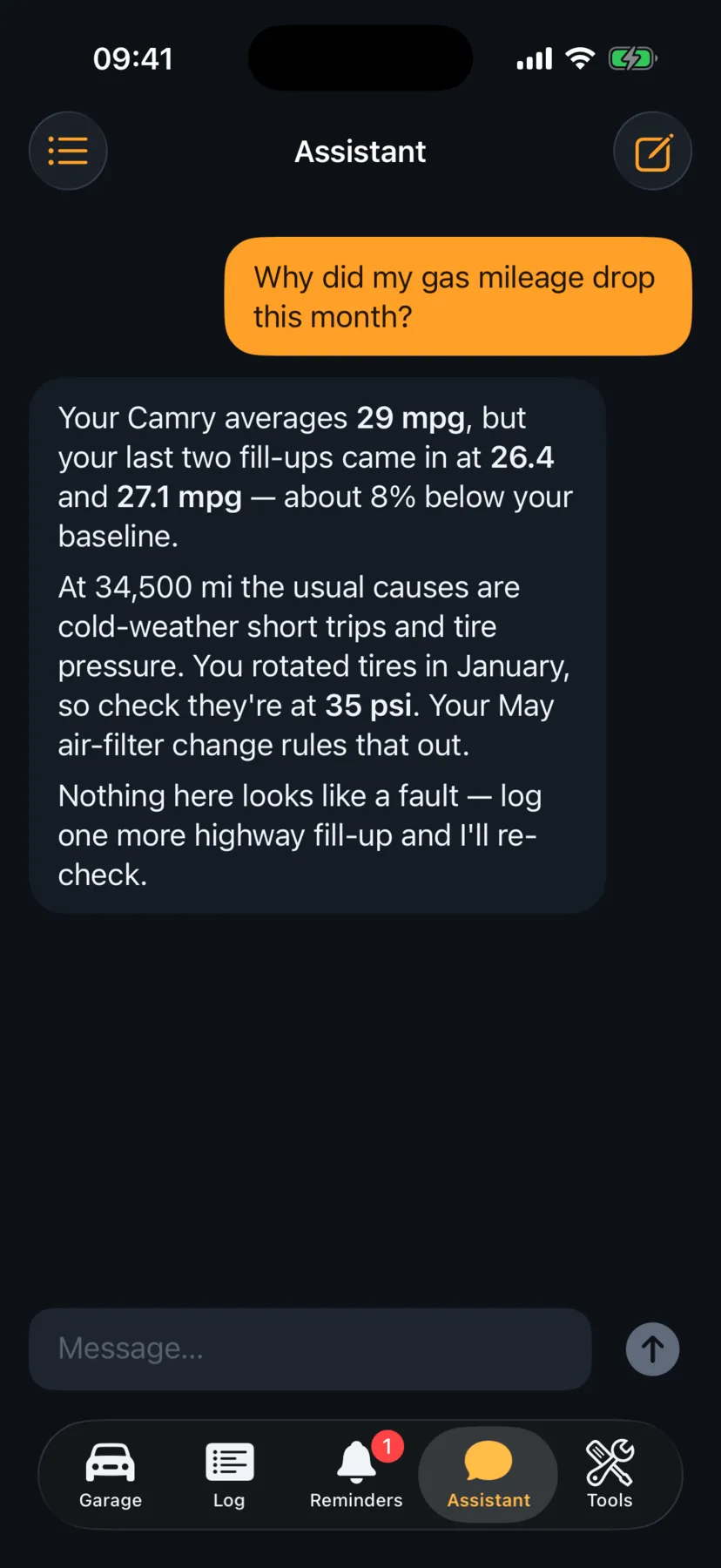
Why am I getting 11% fewer mpg than the EPA rating?
Your F-150 with the 5.0 V8 is rated 19 mpg combined by the EPA — a lab-cycle number. Your last 7 fill-ups average 16.9 mpg, and a 10–20% shortfall in real driving is normal, so you're inside the usual range.
Two things stand out in your log: mostly short city trips on a cold engine, and an air filter 2,500 miles overdue. Start with the filter — want me to set a reminder?
Ask about your car…
Not a script — the assistant reads your real mileage, mpg and service history before answering.
Receipt → entry in 3 seconds
Gas station
07/04/2026 · 2:32 PM
Regular24.60 gal
$/gal3.359
Total$82.63
24.60 gal 3.359 $/gal $82.63 Added to the log
Gallons, price and total are read on-device. The photo never leaves your iPhone.
Free tool
What will the trip cost?
Enter where you're driving from and to — the free calculator builds the real road route and turns it into gallons of gas and dollars. Right here in your browser.
Real road miles and drive time, from A to B
Gallons and cost computed from your car's real MPG
An AI assistant on the page briefs you on the destination
Demo: the F-150's real 16.9 mpg average. In the app — your car, your mpg, your local gas price.
Inside the app
What Brimly looks like
Seven screens straight from the app — dark, quiet and fast.
The app in 30 seconds
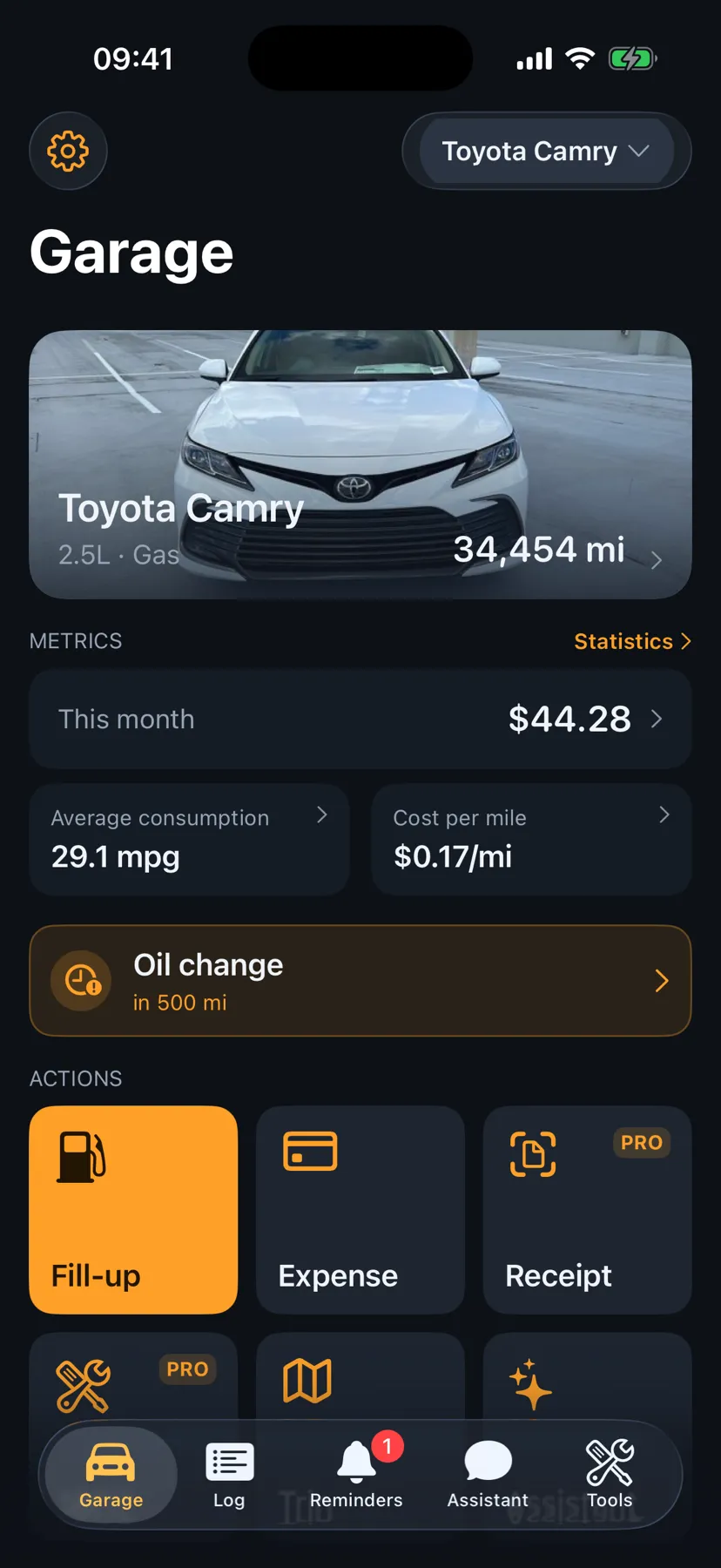
Garage — your car at a glance
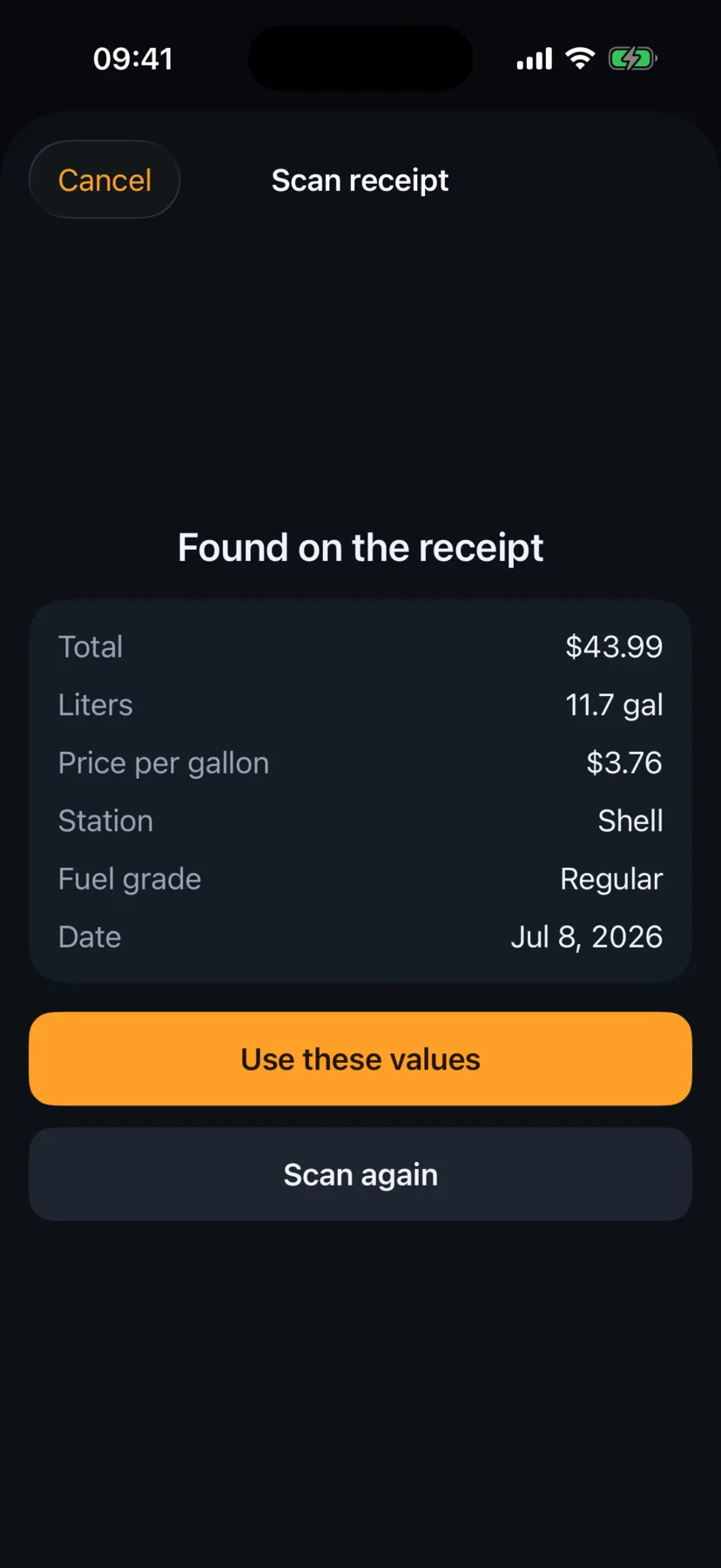
Gas receipt scanned in 3 seconds
An AI mechanic that knows your car
Add a car from a photo
Trip cost before you leave
Check-engine light, decoded
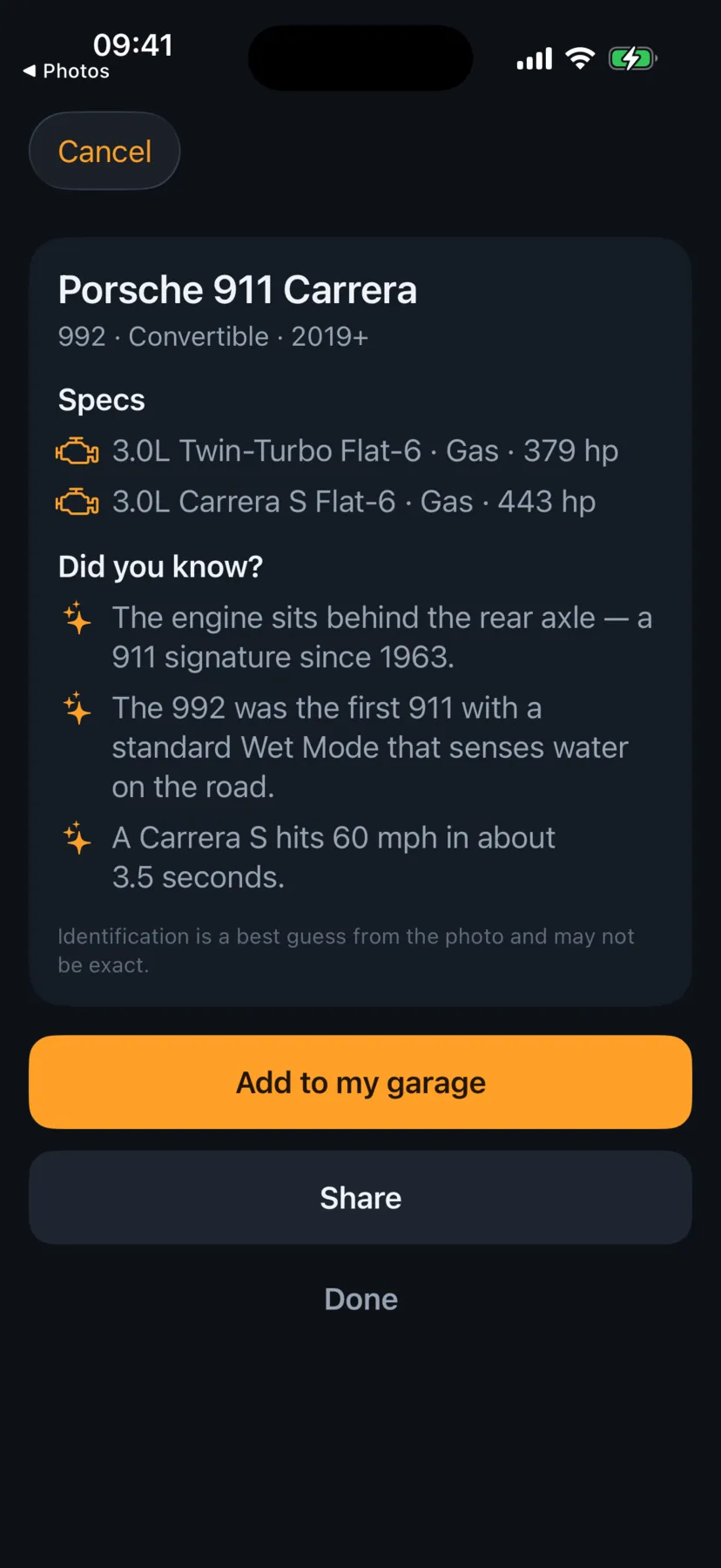
Car Spotter identifies any car
Why Brimly
Everything works together
Eight things Brimly does that a spreadsheet — and a generic AI — can't.
An AI mechanic that knows your car
It answers with your real mileage, MPG and service history in hand — a second opinion on any repair, about your exact car, not cars in general.
Gas receipt → entry in 3 seconds
Point your camera at the pump receipt. Gallons, price per gallon and total are read on-device in three seconds. No typing.
No account, full privacy
No sign-up, ever. Everything syncs through your private iCloud, and receipt photos never leave your iPhone.
A car profile you can hand over
Selling your car? Export the full service history as one file — a documented car is worth more at trade-in.
Trips planned around your car
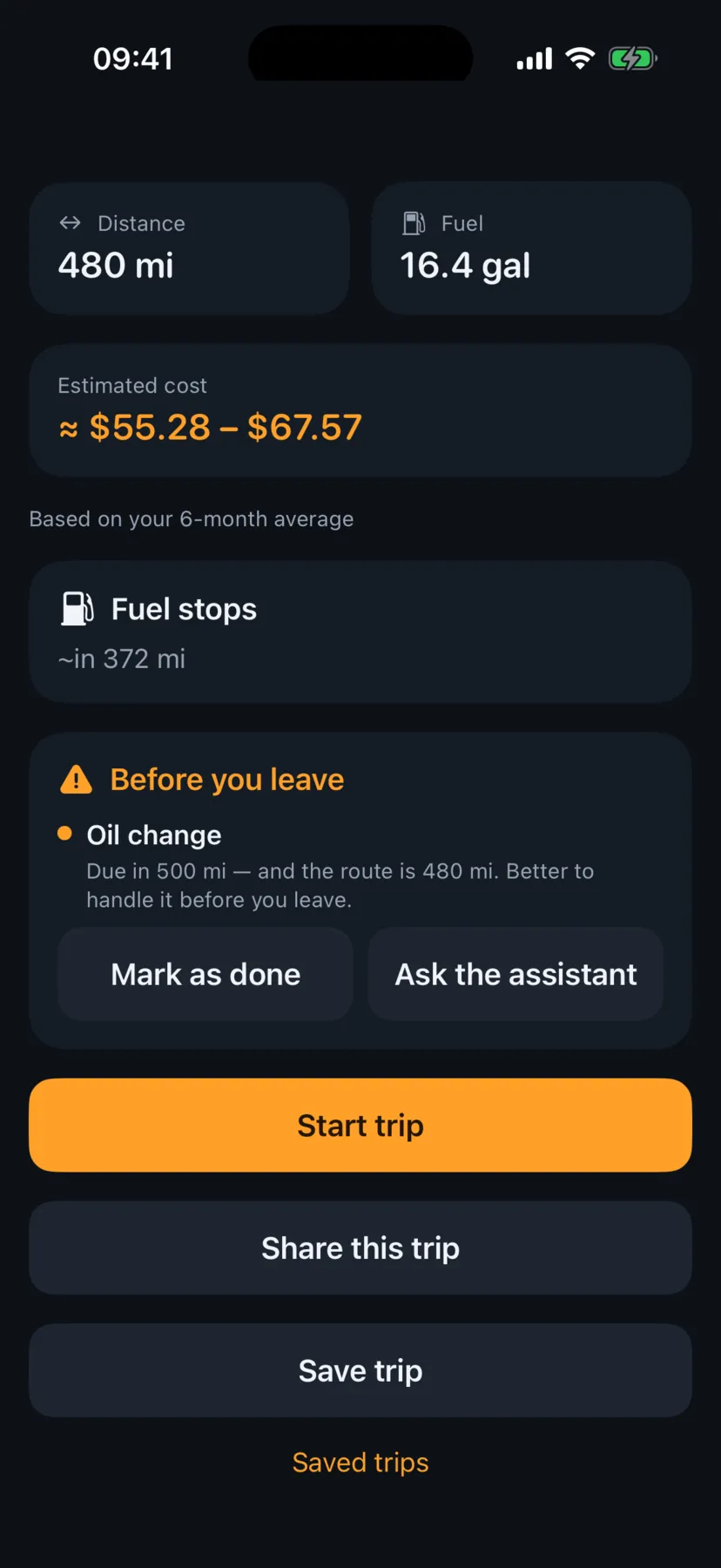
Pick a destination; Brimly computes the miles, gallons and dollars from your real MPG, then checks maintenance before you leave.
Add a car in 30 seconds
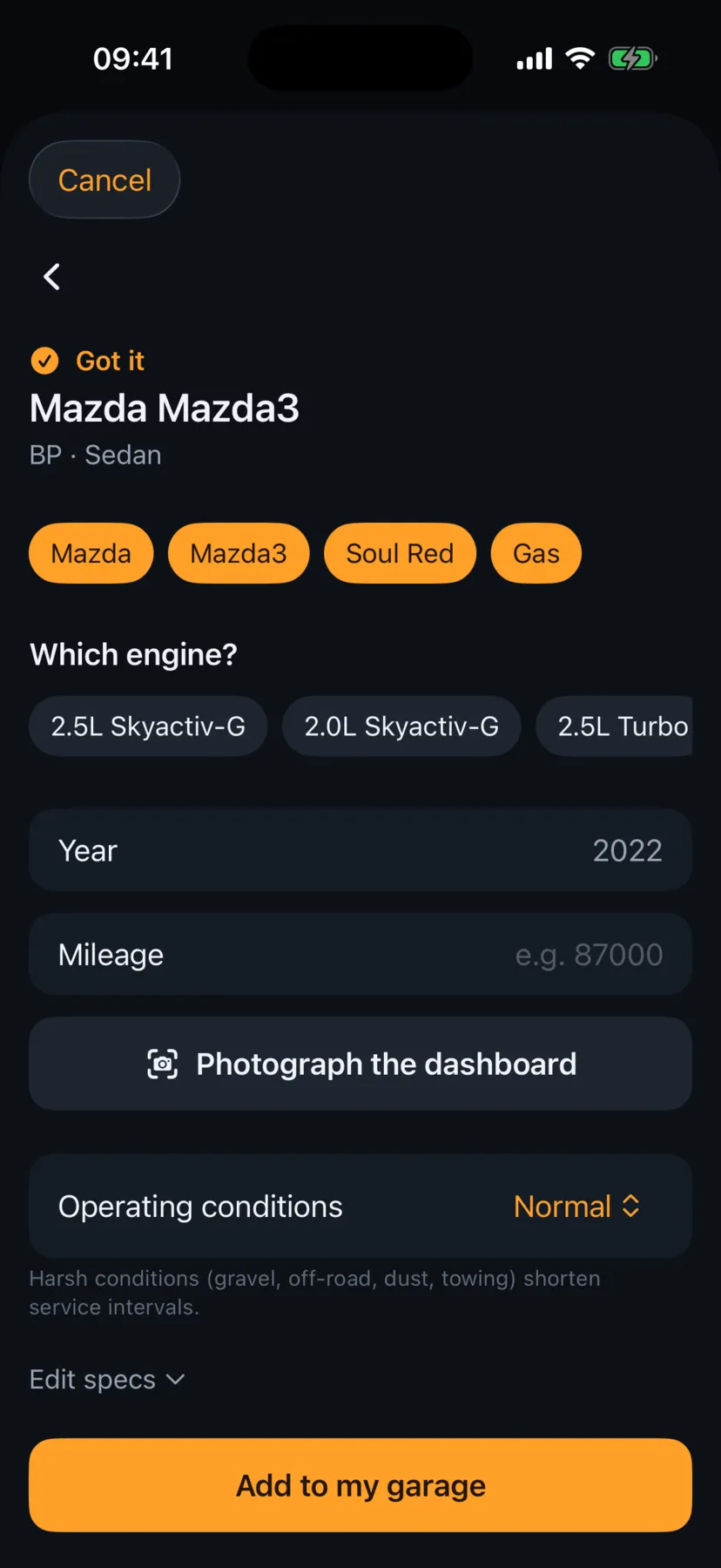
Photograph your car or dictate the specs — AI fills in make, model, year and engine. No endless dropdowns.
Identify any car
Car Spotter: snap an interesting car and learn its model, production years and specs. It can add it to your garage too.
Decode faults. Don't overpay.
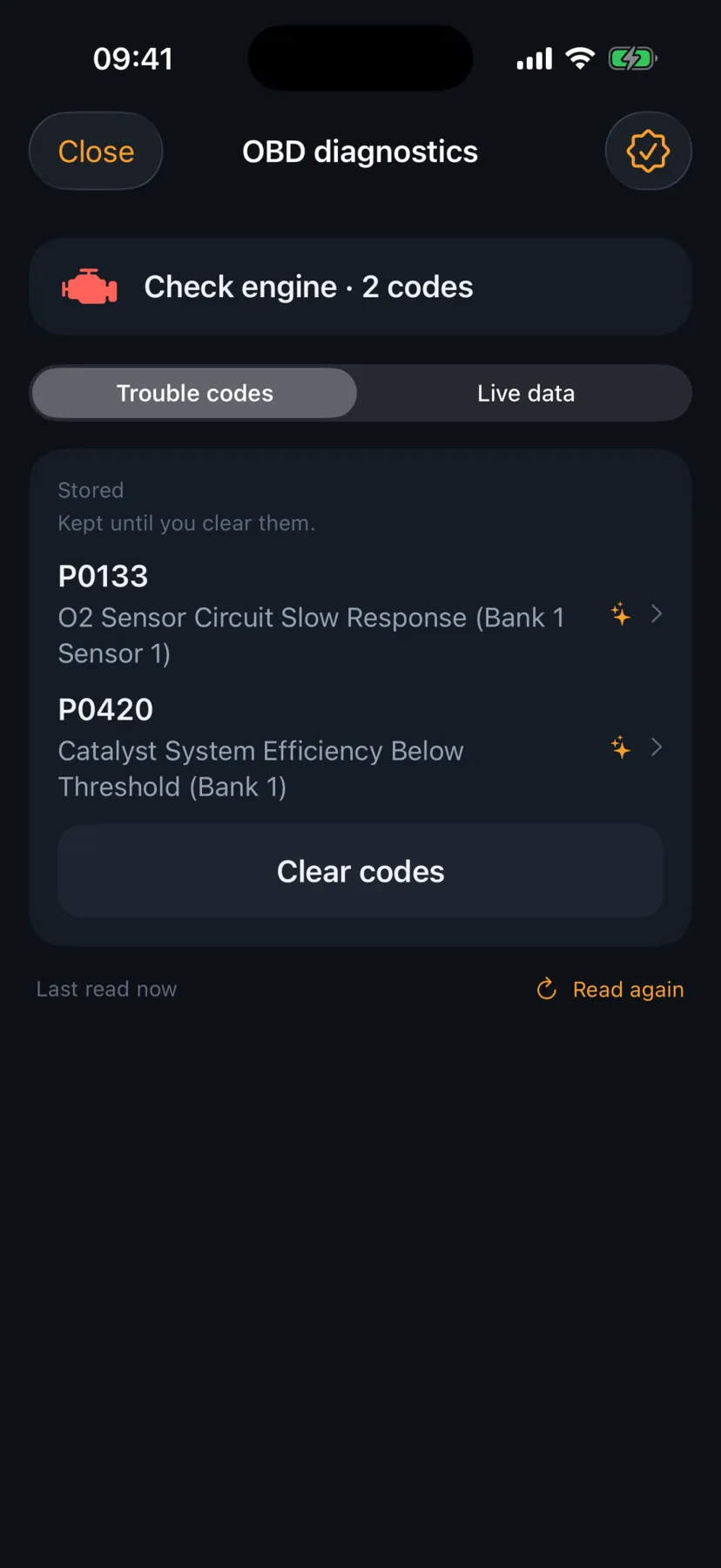
Plug in any $20 OBD2 adapter: Brimly reads the check-engine codes, shows live sensor data and clears them once the fault is fixed — and the AI explains what each code means for your car before anyone quotes you a repair.
The loop
How Brimly works
The log feeds the stats. The stats feed the AI.
1
Log without effort
Scan a gas receipt or add a fill-up. The log builds itself, so you actually keep it.
2
See the honest numbers
Real MPG, cost per mile and spending by category — computed only between full tanks.
3
Ask your AI mechanic
Your own data powers an assistant that answers about your exact car, mileage and history.
Switching apps
Bring your Fuelly, Drivvo, or Fuelio history with you
Export a file from your old app and open it in Brimly. Vehicles, fill-ups and expenses move over in about a minute, so your real MPG, statistics and the AI mechanic start with years of history instead of an empty log. The file is read on your iPhone and never uploaded.
Prices are shown in the App Store for your region.
Point your iPhone camera here to install
Requires iOS 18.1 or later. Free to download, with optional in-app purchases.
Privacy
No account. No ads. Your data is yours.
Brimly is offline-first. There's no registration, no ad tracking, and no servers holding your history — sync runs through your own private iCloud, and receipt photos never leave your device.
No sign-up
Private iCloud sync
On-device receipt scanning
Anonymous, opt-out analytics
FAQ
Frequently asked questions
Short answers about gas mileage, repairs, privacy and the app.
Why is my car getting worse gas mileage than the EPA rating?
EPA ratings come out of a lab cycle, so most drivers land 10–20% below the combined number — more in cold weather and stop-and-go traffic. That gap is normal, not a fault. Brimly measures your real mpg between full tanks, shows the EPA figure next to it, and the AI mechanic explains what's driving the difference on your specific car.
How do I track gas mileage on iPhone?
Log a fill-up at the pump — or just photograph the receipt and the scanner turns it into an entry in about three seconds. MPG is computed only between full-tank fill-ups, the honest method that survives a missed log.
Can Brimly read my check engine light?
Yes, with any ELM327-style OBD2 adapter — they start around $20. Brimly reads the stored trouble codes, shows live sensor data and clears the codes once the fault is fixed. With PRO, the AI explains what each code usually means on your exact car, so you walk into the shop knowing what you're paying for.
Can the AI give me a second opinion on a repair?
That's what it's for. The assistant answers with your car's mileage, service history and fault codes in hand: what the symptom usually turns out to be on this model, which parts are typically involved, and what to ask the shop. It's a second opinion to walk in with — the workshop still confirms what's actually wrong with your car.
Is Brimly free?
The core is free forever: gas and expense tracking for up to two vehicles, reminders, statistics, widgets and iCloud sync. A one-time purchase unlocks on-device extras like the receipt scanner and OBD2 diagnostics, and a subscription adds the server-side AI features.
Do I need an account?
No. Brimly has no registration at all — no email, no password, no profile. Your data syncs between your devices through your own private iCloud.
Where is my data stored?
On your iPhone, and in your private iCloud if sync is on. Receipt photos are recognized on-device and never leave your phone; there is no Brimly server holding your history.
Which cars does Brimly work with?
Any make and model, including hybrids and EVs — electric consumption is tracked in kWh. Add a car by photographing it, dictating the specs, or filling a short manual form.
Can I move my data from Fuelly, Drivvo or Fuelio?
Yes. Export a file from the old app — a CSV, or a Fuelio backup — and open it in Brimly from Settings or right on the welcome screen. Brimly recognizes the format, shows a preview and brings over your vehicles, fill-ups and expenses; importing the same file again adds no duplicates. Any other app works through a CSV with column matching. Import is free on every plan, and the file is processed on your iPhone.
Does Brimly work offline?
Yes — it's offline-first. Logging, statistics, reminders and the receipt scanner all work without a connection; only the AI features need the network, and each one has a manual fallback.
How do I get Brimly?
Brimly is out on the App Store. Download it free on your iPhone — iOS 18.1 or later, no account or email required.
We count page views and clicks anonymously — no cookies, no personal data. Allow detailed analytics so we can improve Brimly? Privacy Policy